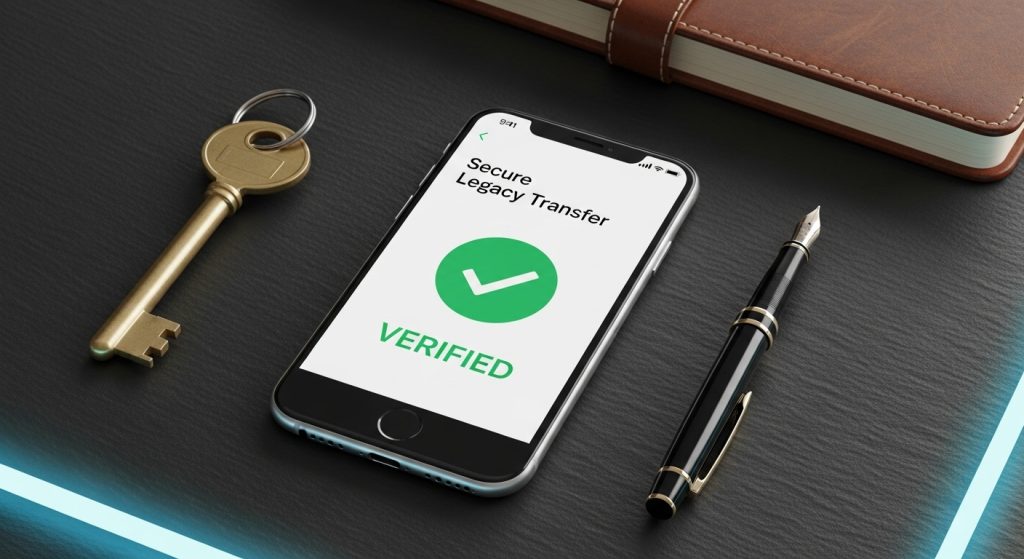
In 2026, our lives are as much online as they are offline. We have years of photos on social media, automated bills, and digital assets, such as cryptocurrency and valuable domain names. But while we meticulously plan for our physical homes, our “digital homes” are often left wide open.
Without a plan, your digital footprint can lead to identity theft, frozen financial assets, and the permanent loss of precious family memories. Here is the modern guide to securing your digital legacy alongside your Memorial Estate Planning
.
The Anatomy of a Digital Legacy
A digital legacy is the cumulative representation of your online presence. It is generally divided into two categories:
1. Digital Assets (Financial Value)
These are items you own or manage that have monetary value.
- Banking & Wallets: Online bank accounts, PayPal, Venmo, and cryptocurrency wallets.
- Revenue Streams: Monetized YouTube channels, blogs, or e-commerce stores (like Etsy or Amazon).
- Loyalty Points: Frequent flyer miles or credit card reward points.
2. Digital Presence (Sentimental Value)
These are the records of your life that your family will want to cherish.
- Social Media: Facebook, Instagram, LinkedIn, and X (Twitter).
- Cloud Storage: Google Photos, iCloud, and Dropbox.
- Communication: Email accounts and messaging apps like WhatsApp.
What Happens if You Don’t Have a Plan?
Unlike a physical house, which can be entered with a key or a legal deed, digital accounts are governed by Terms of Service (ToS).
- Locked Forever: Many platforms refuse to give passwords to family members, even with a death certificate, due to privacy laws.
- Subscription Drain: Automated monthly payments for streaming or software can continue to drain your bank account for months.
- Identity Theft: “Ghosting” occurs when hackers take over a deceased person’s inactive account to scam friends or open fraudulent credit lines.
How to Secure Your Online Life in 3 Steps
1. Appoint a “Digital Executor.”
Just as you name an executor in your Will for your physical property, you should designate someone to handle your online accounts. This person should be tech-savvy and trustworthy. Mention this role explicitly in your Memorial Estate Plan.
2. Use Platform-Specific “Legacy Tools.”
In 2026, most major platforms have built-in tools to help you plan:
- Google Inactive Account Manager: You can tell Google exactly what to do with your data (YouTube, Gmail, Photos) after a certain period of inactivity.
- Facebook Legacy Contact: You can choose a person to manage your “Memorialized” profile, allowing them to post a final tribute or change your profile picture.
- Apple Legacy Contact: This allows a trusted person to access your photos and documents on iCloud after you pass.
3. Use a Secure Password Manager
Do not write your passwords in your Will (as Wills become public record). Instead, use an encrypted password manager (such as LastPass or 1Password) that features an “Emergency Access” option. This allows your digital executor to request access, which is granted after a waiting period you define.
A Comparison of Post-Mortem Platform Policies
| Platform | Options Available | What the Family Needs |
| Memorialize or Delete | Death Certificate + Proof of Authority | |
| Data Transfer or Auto-Delete | Inactive Account Settings (Pre-set) | |
| Memorialize Only | Link to obituary or Death Certificate | |
| Banking | Account Closure/Transfer | Probate court documents |
| Crypto Wallets | None (Private Key needed) | The physical “Seed Phrase” or Key |
FAQ’s
Q1: What exactly is a “Digital Legacy”?
Ans: Your digital legacy consists of all the information you leave behind online after you pass away. This includes sentimental items like social media profiles and cloud-stored photos, as well as financial assets like online bank accounts, cryptocurrency wallets, and monetized digital businesses.
Q2: Can my family just use my passwords to log into my accounts?
Ans: While it is common for family to do this, it often technically violates the “Terms of Service” of platforms like Facebook or Google. Additionally, if you have Two-Factor Authentication (2FA) enabled, they may be locked out without access to your physical phone. It is better to use official “Legacy Tools” provided by the platforms.
Q3: What happens to my social media if I do nothing?
Ans: Your profiles will remain active indefinitely. This can be painful for family members who may receive automated “Birthday Reminders” or see your profile suggested in “People You May Know.” Over time, unmanaged accounts are also at a higher risk of being hacked for identity theft.
Q4: Is a Digital Will legally binding in Maryland?
Ans: Yes. Maryland follows the RUFADAA (Revised Uniform Fiduciary Access to Digital Assets Act). This law allows you to legally grant your executor the power to manage or close your digital accounts, provided you have included specific language in your Will or used the platform’s internal legacy settings.
Q5: Can I pass on my digital movies, music, and eBooks?
Ans: Generally, no. Most digital content (Kindle books, iTunes music, etc.) is “licensed” to you for your lifetime only. Unlike a physical book, you usually do not own the digital file in a way that allows it to be inherited. However, you can pass on the physical devices (tablets/e-readers) that contain them.
Q6: How do I handle my Cryptocurrency and NFTs?
Ans: Unlike bank accounts, there is no “customer service” for Bitcoin. If your “Private Key” or “Seed Phrase” is lost, the money is gone forever. You must store these keys in a secure physical location (like a safe) or a digital vault and ensure your digital executor knows exactly how to find them.
Q7: Should I list my passwords directly in my Will?
Ans: No. Once a Will goes through probate, it becomes a public document. Anyone could read your passwords. Instead, state in your Will that you have a “Digital Asset Memorandum” and store your passwords in a secure password manager or a locked file that you share only with your executor.